Together Friends,
I am drafting this note with a 15-pound cat in my lap. I’m not mad about it.
So, are we happy about more daylight after dinner? I think I am ready to step into some well-earned sunshine after what felt like the longest winter ever. Which means I’m pretty excited about the fact that I’ll be leaving the country for spring break, for the first time ever with two of the Semi-Together Teens, and my only To-do list item is to adventure in the sunshine – oh, and maybe to try my hand at needlepoint!?!
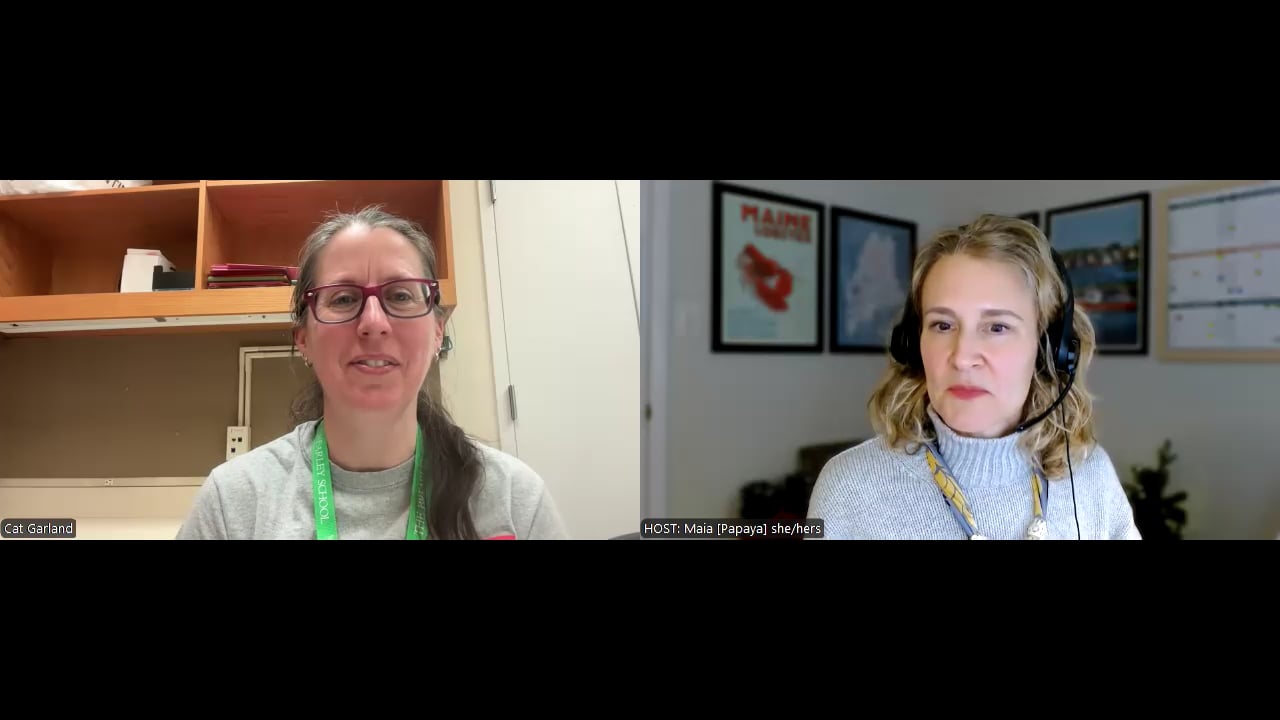
This month’s Together Tour is really fun! Each time I write one of these, I spend time with the featured human on Zoom, we send many messages back and forth, including multiple drafts between my team and our “tour guide,” so to speak. It’s a process I’ve really come to look forward to!
Together Tour: Cat Garland
Today we’re visiting Dr. Catherine (“Cat”) Garland, a science teacher and department chair at The Brearley School in New York City. Cat’s path to teaching took a fascinating route through astrophysics, university teaching, charter schools, and now independent schools. Along the way, she developed a highly practical hybrid system that blends Google Calendar, a paper planner, custom stickers, and grab-and-go folders to keep everything running smoothly – even in a school with a six-day rotating schedule.
Let’s take a look at how Cat keeps it together.
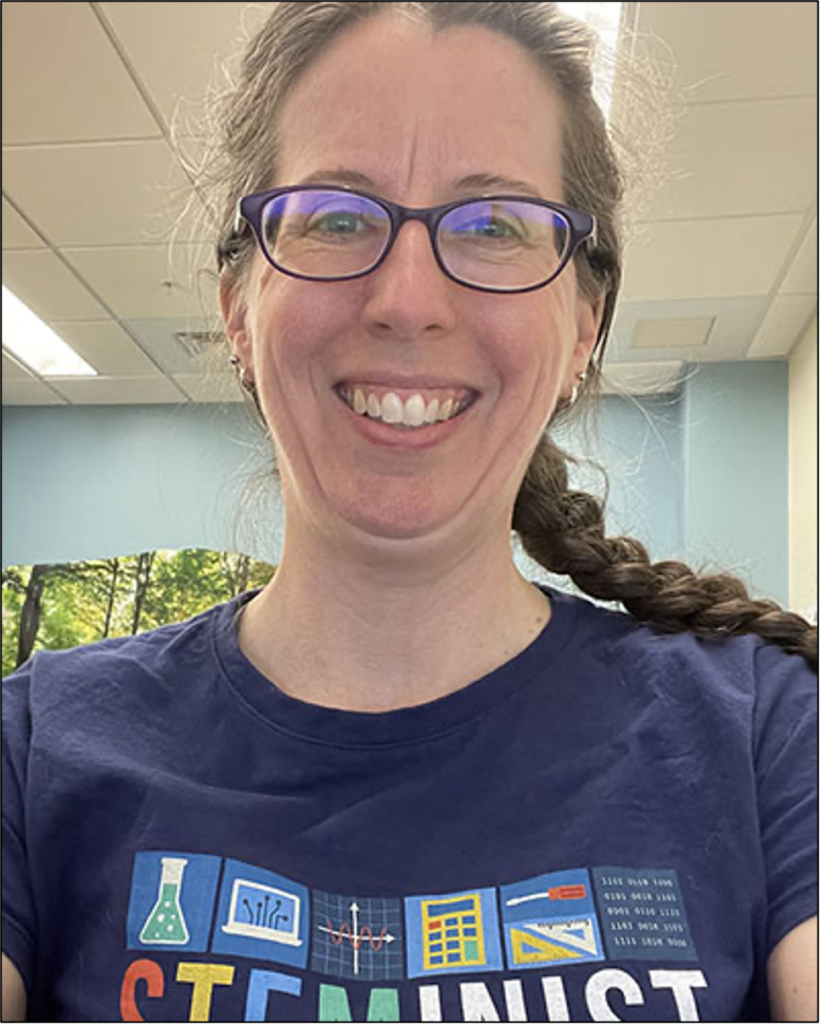
Your career path to teaching physics is pretty unique. Can you tell us a little about how you got here?
I started out in astrophysics and did my PhD studying in Hawaii. After graduate school I took a faculty position in Vermont teaching physics at the university level. It was a great experience, but after a while I realized that teaching physics to 110 students in a lecture hall just wasn’t filling my bucket. Around that time I read about Uncommon Schools and the work they were doing with teacher training. I reached out because I wanted to learn more about teaching – especially elementary education.
They very generously let me join as a visiting teacher, and I absolutely loved it. I ended up teaching high school physics and aerospace engineering there for about five years, and that’s when I really fell in love with teaching.
Eventually life nudged us toward New York City. When the opportunity at Brearley opened up – teaching middle and upper school science and serving as department chair – it felt like the right next chapter.
You’re both a department chair and a classroom teacher. How do you juggle those responsibilities?
At Brearley I get a course release, so I teach three classes instead of four, which helps a lot. But our department is large – fourteen people across K–12 – so there’s still plenty to coordinate.
A lot of my role is about supporting the department: hiring, running searches, organizing meetings, and building a strong sense of community. I want teachers to feel like they’re supported and that I’m available when they need me.
I rely heavily on systems I learned during my time at Uncommon and through instructional leadership training. Things like calendar blocking, organizing email, and keeping track of priorities really make the difference. And I’ve also learned that most things don’t need to be perfect. Good enough is often perfectly good.
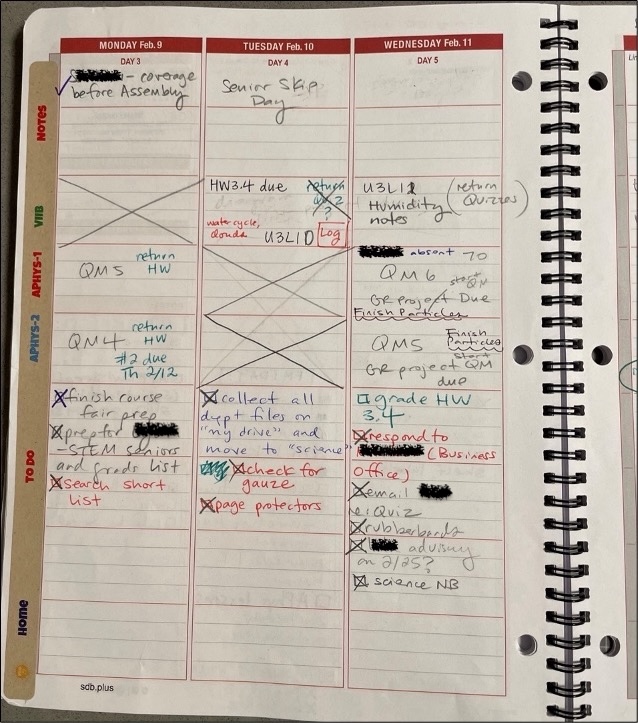
Your school runs on a six-day rotating schedule – which sounds like a serious organizational challenge. How do you manage it?
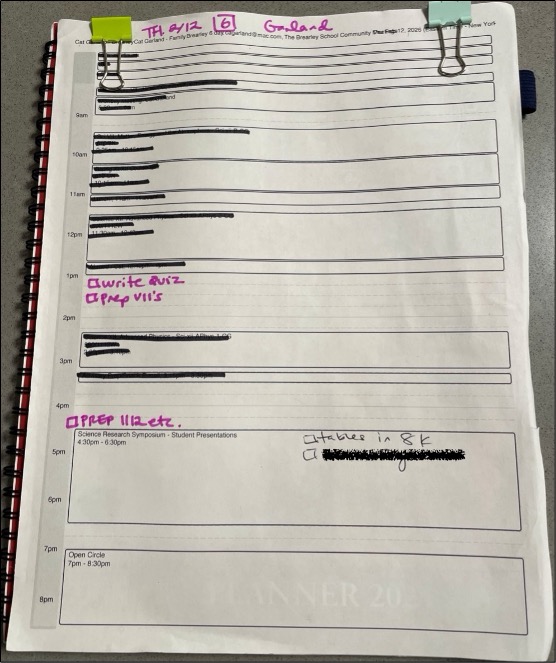
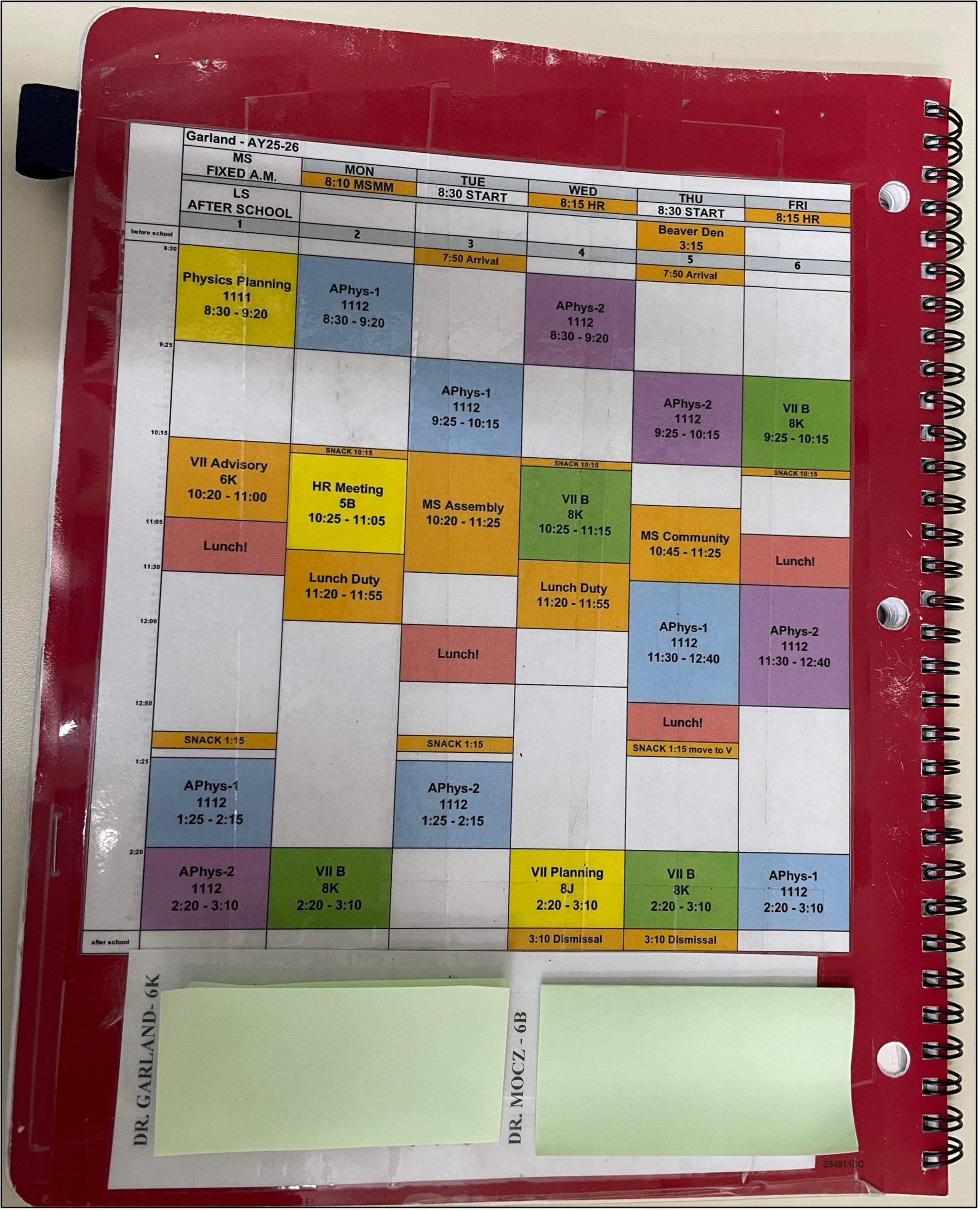
The six-day cycle is definitely the first puzzle to solve! I import the rotation into my Google Calendar, so I always know what day of the cycle we’re on. But our school is pretty low-tech and I don’t always have a computer with me, so I rely heavily on a paper planner too. The school planners are printed with the six-day cycle and special school days already built in. Then I customize mine with stickers that divide the page into sections for my classes, a to-do list, home tasks, and notes.
You’ve created a really thoughtful hybrid system using both digital and paper tools. How does that work day to day?
Each morning I print my Google Calendar for the day and attach it to the front of my planner.
As the day goes on, I literally cross things off with a Sharpie when they’re done. It’s simple, but it helps me see what’s happening and stay focused. (Editor’s Note: I LOVE FINE POINT SHARPIES SO MUCH!)
What else lives inside your planner?
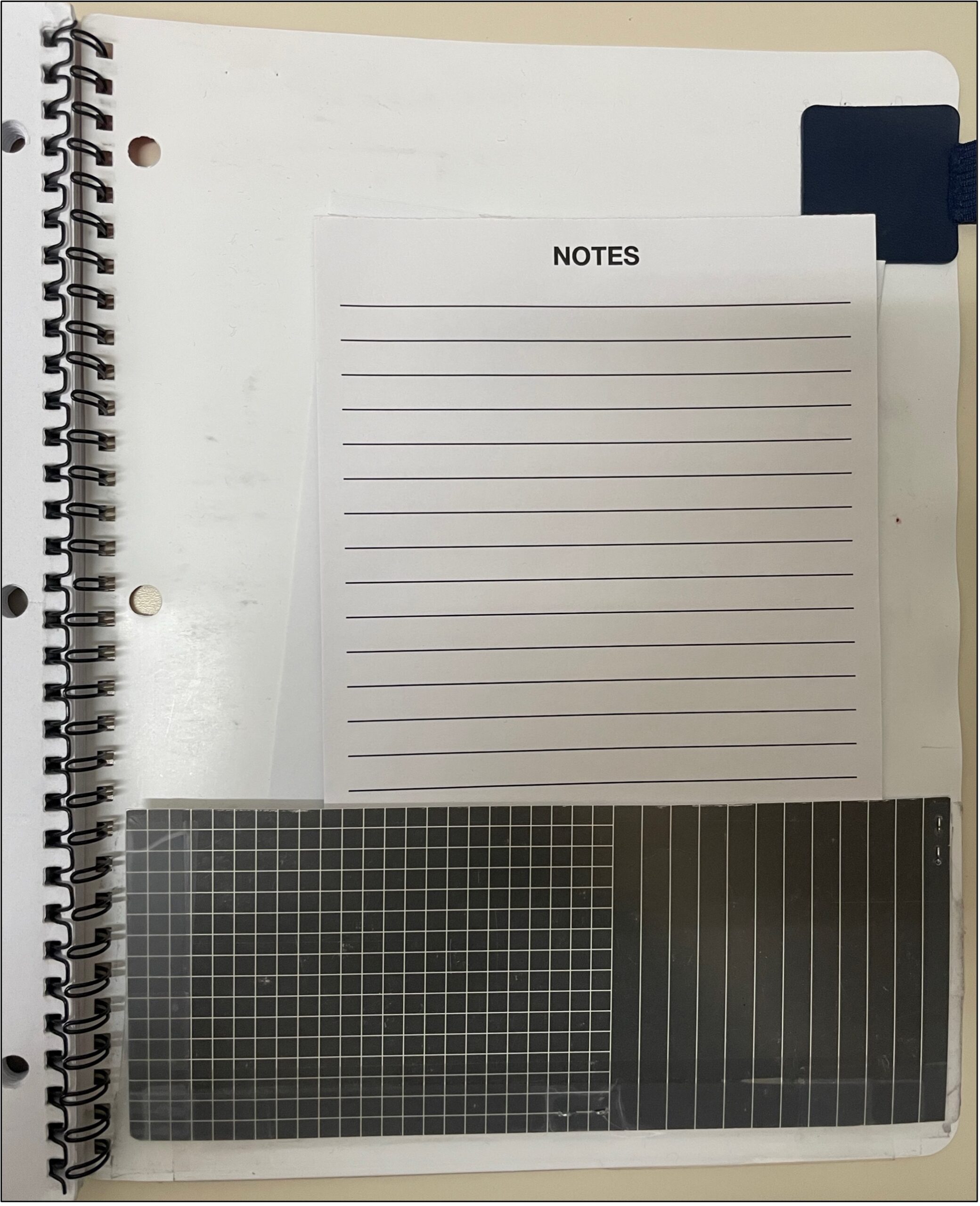
The back of my planner has my own six-day schedule and my homeroom class list. Inside I’ve created a little pocket where I keep paper for meeting notes, and I’ve taped in helpful references like our lunch schedule. Basically it’s become a school-specific, Cat-specific flexy.
You also mentioned “grab-and-go folders.” Tell us about those.
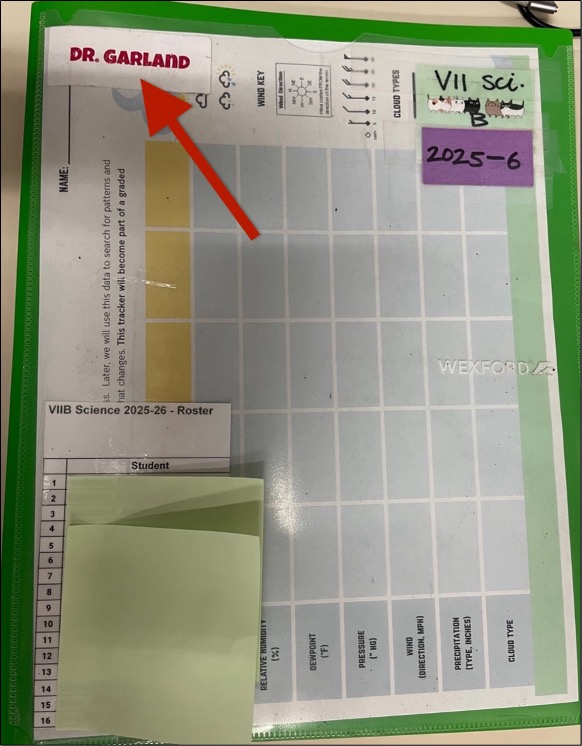
I’m a huge fan of grab-and-go folders. I think I first learned this idea from the operations teams when I was teaching at Uncommon. For each class I have a folder with a roster on the front. Inside there are pockets for that day’s work, extra handouts for students who were absent, and other materials.
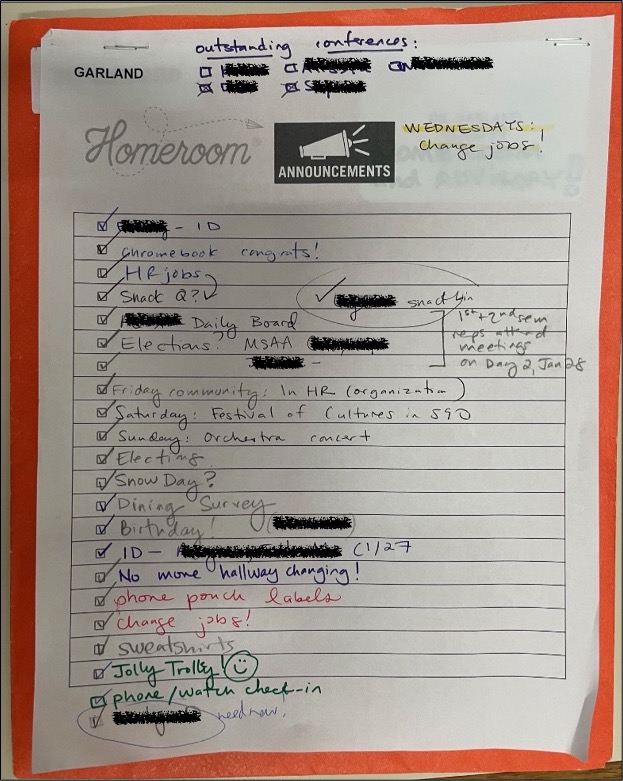
My homeroom folder has the class roster and a running list on the front where I jot down things I need to announce to the class. Inside are all the random but essential items: stickers, birthday pencils, elevator passes – all the things you weirdly need during homeroom!
I have to ask about the “Dr. Garland” stickers.
Yes! At the beginning of the year I print a huge sheet of labels that say “Dr. Garland.” Then whenever I need to label something, I can just grab a sticker instead of writing my name over and over again. It’s a tiny system but it saves time all year. Also, it prevents my scissors and staplers from walking away.
Many educators struggle to keep work from taking over home life. How do you manage that boundary?
When I first started teaching at Uncommon, I emailed my principal late on a Friday night. He wrote back and said something I’ve never forgotten: “If you’re working on a Friday night, we’re not doing something right.”
That really changed how I think about work. I try to prioritize the most important tasks first – kind of the “eat the frog” idea — so that the essential work gets done during the day. Then I can go home knowing the rest will still be there tomorrow.
Of course, life isn’t always perfectly balanced. I have a blended family and a fourteen-year-old stepdaughter now, and we also help manage my mother-in-law’s schedule. But having systems makes it much easier to keep things from spilling into every weekend.
Do you keep separate systems for work and home?
Yes – mostly.
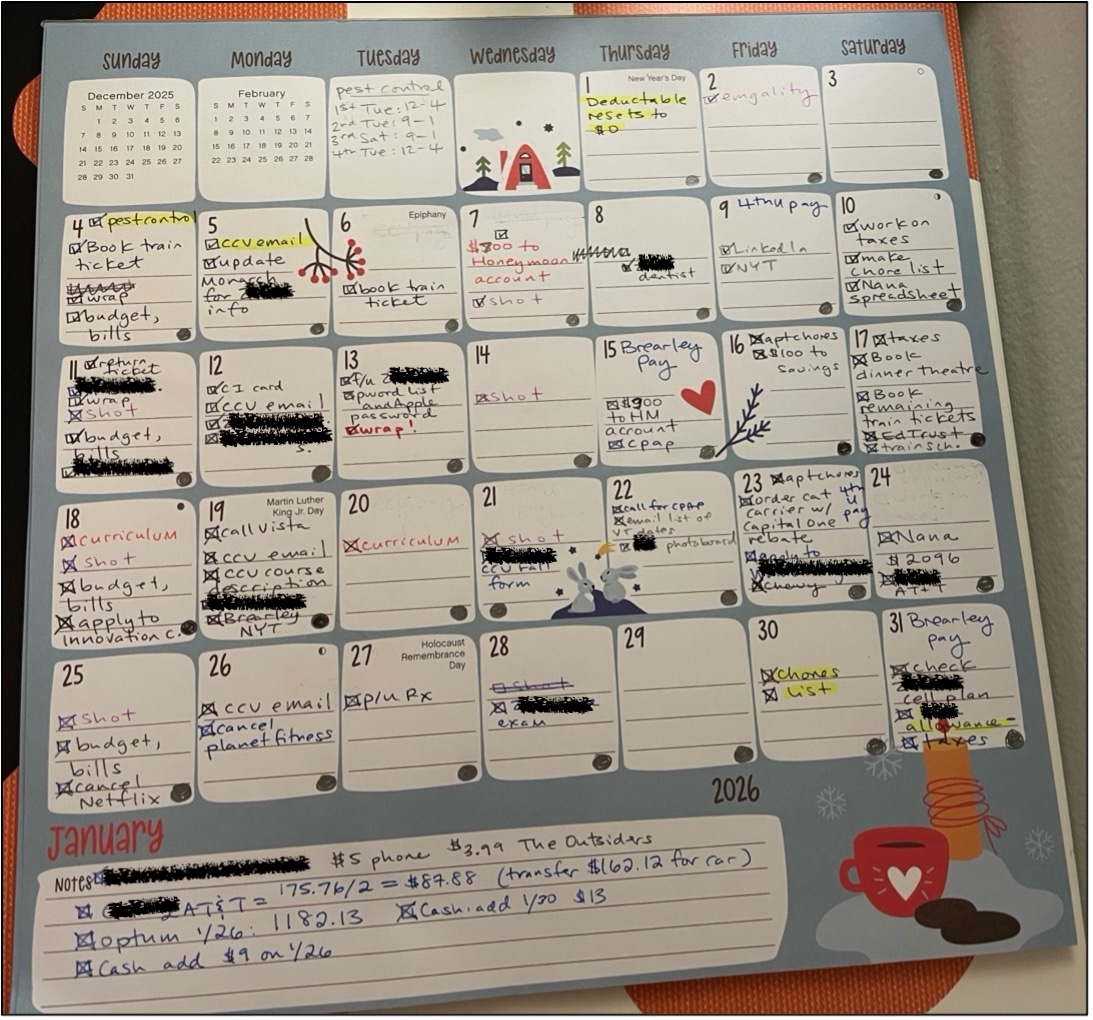
I try not to bring school work home if I can help it. Instead I keep a monthly home calendar on my desk where I track family logistics – things like renewing prescriptions, checking bills, scheduling dentist appointments, and doing taxes. It’s a separate system from school, which helps me keep the two worlds a little more contained.
You also help your students build organizational habits. What does that look like?
In seventh grade, students get their own planners, and we spend time helping them learn how to use them – breaking assignments into chunks and tracking deadlines.
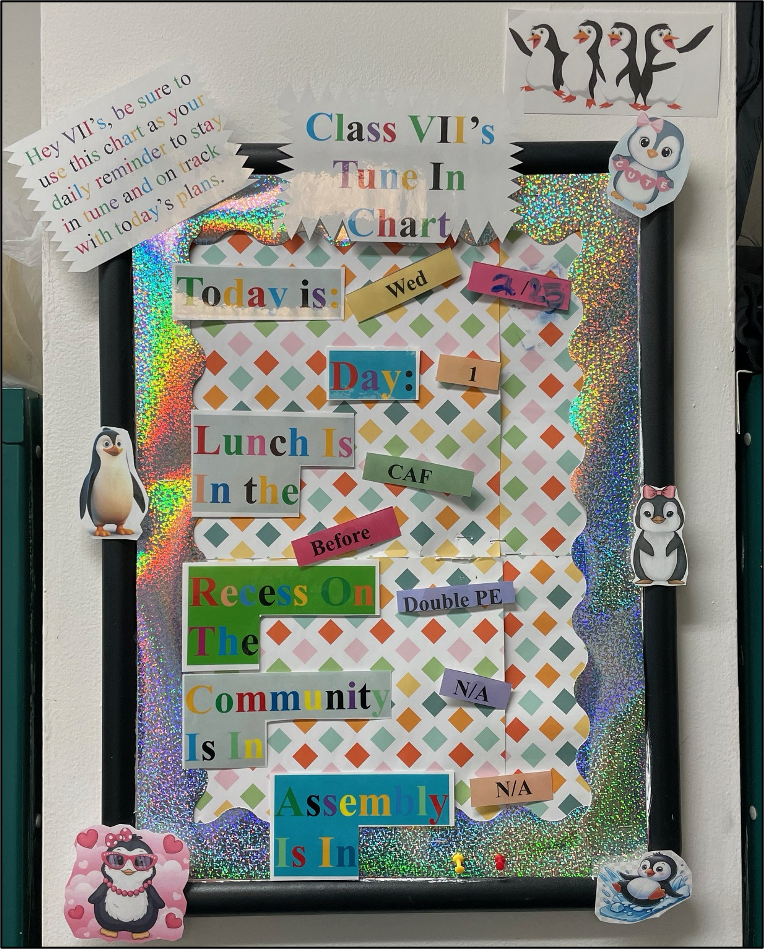
The rotating schedule can be confusing for students too, so we actually built a hallway schedule board with Velcro pieces that change each day. Students help update it in the morning, and it gives everyone a quick visual of what the day looks like. It frees up a lot of mental space for them.
You teach both 7th grade science and Advanced Physics. How do you make grading and planning manageable with so many students?
A lot of efficiency comes from how you design the assignment in the first place. For example, if an assessment is structured clearly – with answers in defined boxes and clear point values – it’s much faster to grade. When you have 110 students, even something small like turning pages during grading adds up!
I’ve also learned that sometimes it’s better to grade in broader buckets – like 100, 85, 70, or 50 – instead of spending time debating whether something is a 79 or an 81. Students mostly need to know whether they got it, almost got it, or need more help.
Cat, thank you for sharing such a thoughtful look inside your systems. From hybrid planners to grab-and-go folders, your approach is a wonderful example of how smart structures can make complex work manageable.
And I especially loved your reminder that good systems don’t just help us get more done – they help us leave work at work when we go home at the end of the day.

- To Brick or not to Brick? Smartphones are great, but they’re often pocket-sized distractions as well. How do you prevent your phone from interfering with your productivity?
- Look ahead toward May-cember! For school-based staff and people with kids, spring break is upon us. Now is a great time to do a spring calendar sweep to get ready for the end-of-school year busy season (Field Day! Graduation! All the activities!)
- Scale Togetherness for your team. Sometimes it’s hard to see how Together Tools can work on a grand scale, as opposed to how they work for individuals, schools, and smaller nonprofits. Larger organizations might need to scale Togetherness to make it work for them.