One of the perks of my job is that I receive a steady stream of Togetherness Hotline Questions that push me to think in new ways or explore new avenues of Togetherness. I often find myself thinking that the answers could be instructive for the greater good. And I really loved this one that recently landed (edited for clarity and anonymity).
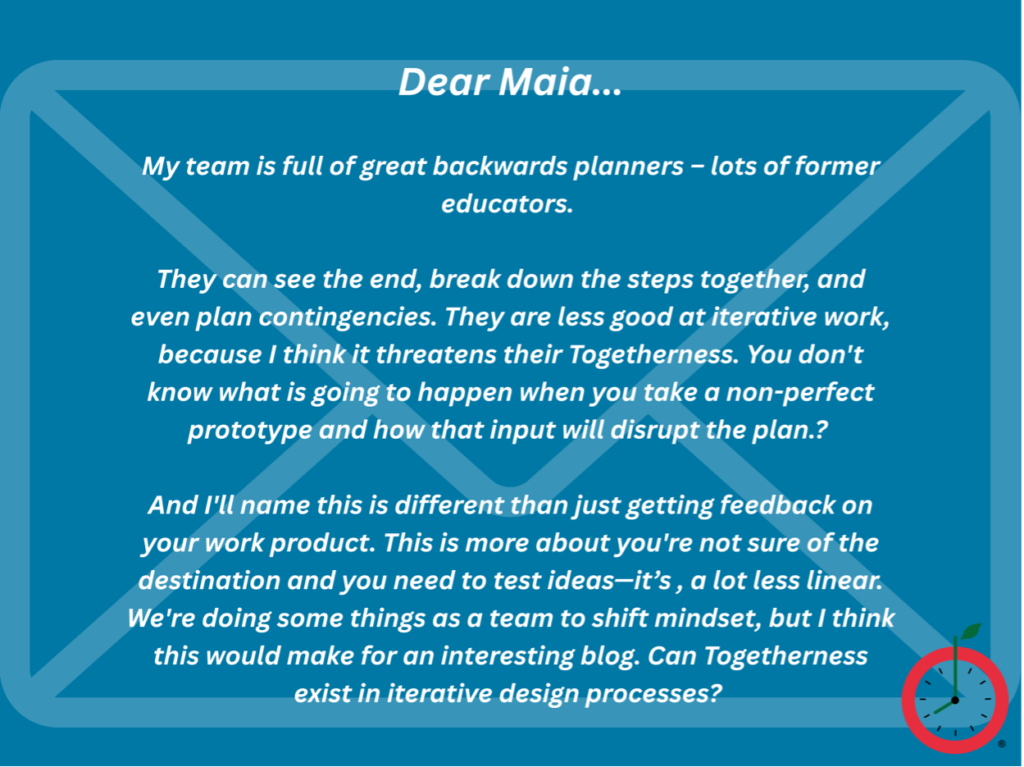
I absolutely love the framing and intent of this question because we are in the thick of iteration with our new Together Trainer course. I’ve been deep in self-reflection around a draft of a training deck I sent back to my team which said something to the effect of, “This isn’t landing how I hoped, and so back to the drawing board. . .” And in a team culture where “iterate and improve” is literally part of our internal core values, and where we frequently tinker with things right up to Version 20, this was a real kick in the pants to both the Together Team – and me as a leader.
Like our original question asker, this is exactly what we faced. Our team is also excellent at backwards planning, building templates in Asana with no task left behind, and closing up loops real tight. But there is also a creative and messier side of our work, the non-linear stuff, like “Will this particular interview turn into a LinkedIn post, blog, or newsletter?” or “Which is the right example to make the point we want to make in this training deck?” It’s definitely the case that most Together Tools out in marketplace, especially around project management, seem to handle the linear parts of project management more – and are not as adept with the PLANNING as they are with the EXECUTION (sorry, went Super Together Nerd there for a minute).
What is the solution here? I think it is mindset and awareness of the project mode you have entered. It can make a huge difference to simply name that we have entered iterative mode instead of linear mode, which may require a different planning approach. In case it is useful, here is how that played out with our own team recently in designing a new course. We called it an Artistic Project Plan for silly reasons of our own, but we had to keep it in a live Google document and update it daily. It was a messy tool to track an unpredictable process – compared to our usual very tightly managed linear steps in Asana.
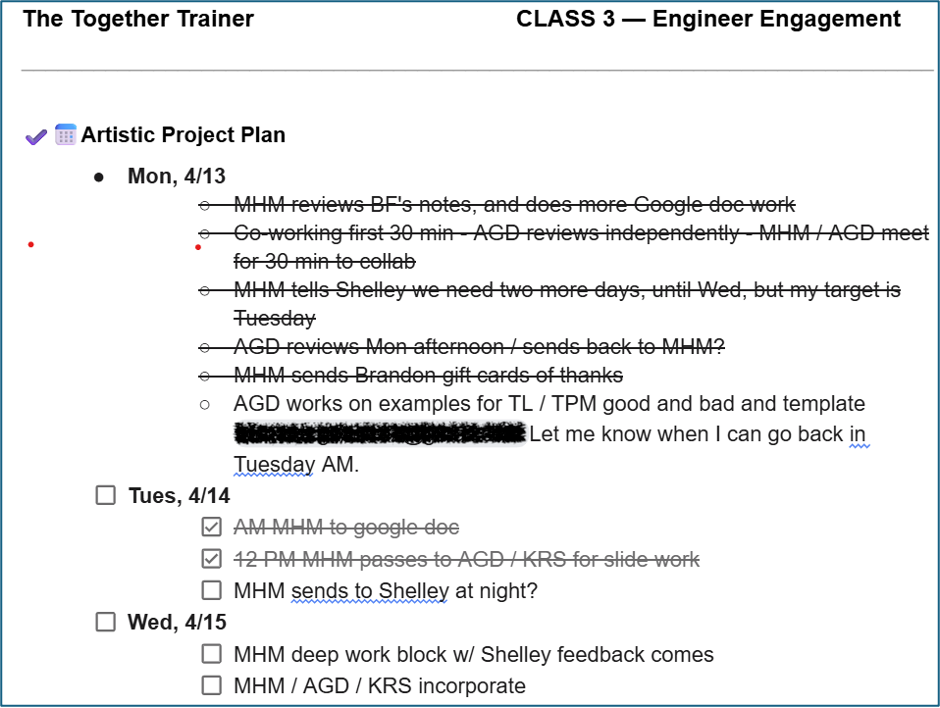
Here is what helped us keep the project moving, but also be open to wiping the drawing board clean. Some of these items are in line with more typical project planning, but some require a shift in mindset.
- Know the clear and final deadline. We had a deadline for when we had to send a draft to our pilot partner and when we needed to publish our work to teach the class. That kept us moving toward the goal. Similar to more linear project planning, there was a clearly identified final outcome. Some more iterative projects may not have this kind of final deadline.
- Build in EXTRA buffer time. All project managers do this, but we had built in extra extra buffer time. In fact, enough that we were able to call in an extra set of eyes (thanks, Brandon!) for a fresh look at our work over the weekend. We also often had a design sprint (a longer meeting where we co-worked on the training slides together) to help move it ahead. We didn’t know exactly when we would need them, but we would look ahead and try to block the time.
- Update the Artistic Project Plan frequently. We updated this document after every single interaction we had regarding this training. It kept us all on the same page, and since were working across multiple time zones (US and UK), it kept our heads on straight. It was often updated each day with a new set of next steps for the following day versus a more linear project plan where the steps may be outlined months or weeks in advance.
- Be clear in the hand–offs. Because this was going through so many cycles, we were extra clear who owned the training document at any given time. We got down to the hour in handing it back and forth to each other or extracting pieces to work on in parallel. Different than most Linear Project Planning, sometimes we worked on parts of the documents in parallel, so we had to be exacting on version control.
- Put back in Linear Mode. Once we got towards the product finish line and aligned on the key items, we re-entered Linear Mode (which, for our team, means Asana) and back in standard operating procedures.
Thanks to the human who reached out to The Togetherness Hotline. Have a Togetherness question you’d like help with? Ask here!